Font
Color
Graphics
Изображение точки

To see AR mode in action:

1. Install ARTEFACT app for iOS or Android;

2. Find the exhibition «History of the region: 1589 – early 20th century»

3. Push the «Augmented reality» button and point your phone's camera at the exhibit;

Скрыть точки интересаПоказать точки интереса
Показать в высоком качестве

Magic Square

Creation period
XIV century
Dimensions
4,5x4,5 cm
Technique
bronze, casting, stamping
0
Open in app
#1
Magic Square
#2

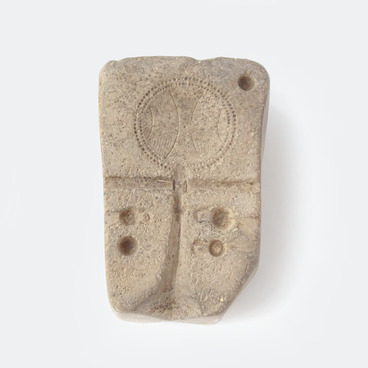
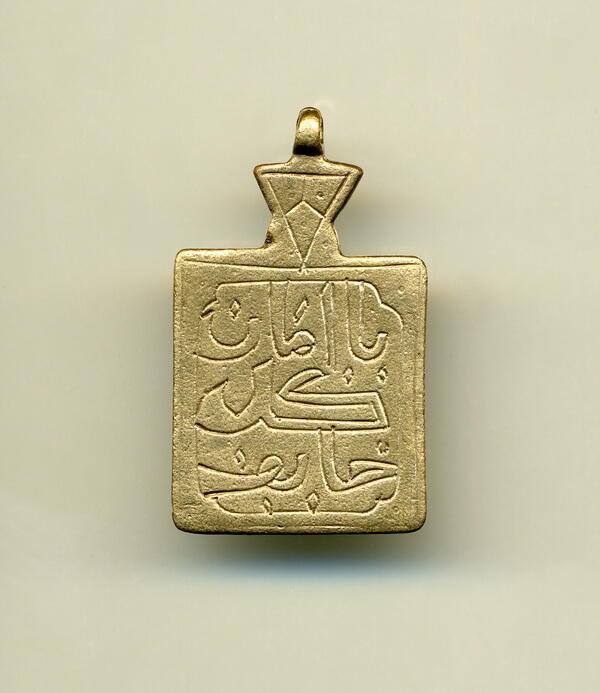
A bronze amulet with a loop for hanging was found during the excavations of the Vodianovo settlement (Dubovsky district). It shows a square neatly divided into cells. In each cell, you can guess the letter of the Eastern Arabic script. The letter also symbolizes a specific number. It is noteworthy that the sum of the numbers in each row, in each column and on both diagonals is the same. In this square, this sum is 15, with the number 5 in the center. According to medieval numerological magic, each number of the top ten had many meanings. The number 5 in ancient cultures is the center for the four cardinal directions, for the entire universe. It carried a tinge of benevolence and happiness. It is no coincidence that the inscription in Arabic is visible on the back of the amulet: “perseverance and strength lead to well-being”.


According to an ancient Chinese legend, the First magic square of Luo Shu, containing three rows and three columns, the numbers of which totaled 15, was inscribed on the shell of a sacred turtle living in the waters of the Yellow River. It was found in ancient China in 2200 BC.


Such amulets were brought to the Golden Horde cities of the Lower Volga region by newcomers from Central Asia or Transcaucasia. And they are clear evidence of the spread of magic among the urban population of the Golden Horde.

#3
read morehide

Magic Square

Creation period
XIV century
Dimensions
4,5x4,5 cm
Technique
bronze, casting, stamping
0
Point your smartphone camera to open in the app
Share
VkontakteOdnoklassnikiTelegram
Share on my website
Copy linkCopied
Copy
Open in app
To see AR mode in action:
  1. Install ARTEFACT app for 
  2. iOS or Android;
  3. Find and download the «Paintings in Details» exhibition
  4. Push the «Augmented reality» button and point your phone's camera at the painting;
  5. Watch what happens on your phone screen whilst you flip through the pictures.
 
We use Cookies
Cookies on the Artefact Website. We use cookies to ensure that we give you the best experience on our website. If you continue without changing your settings, we'll assume that you are happy to receive all cookies on the Artefact website. However, if you would like to, you can change your cookie settings at any time.
Learn more about useHide
Content is available only in Russian

X

Нашли опечатку?...

%title%%type%