

In 1941, the “Guards” was created in the Red Army — the honorary title of the elite military units that distinguished themselves.
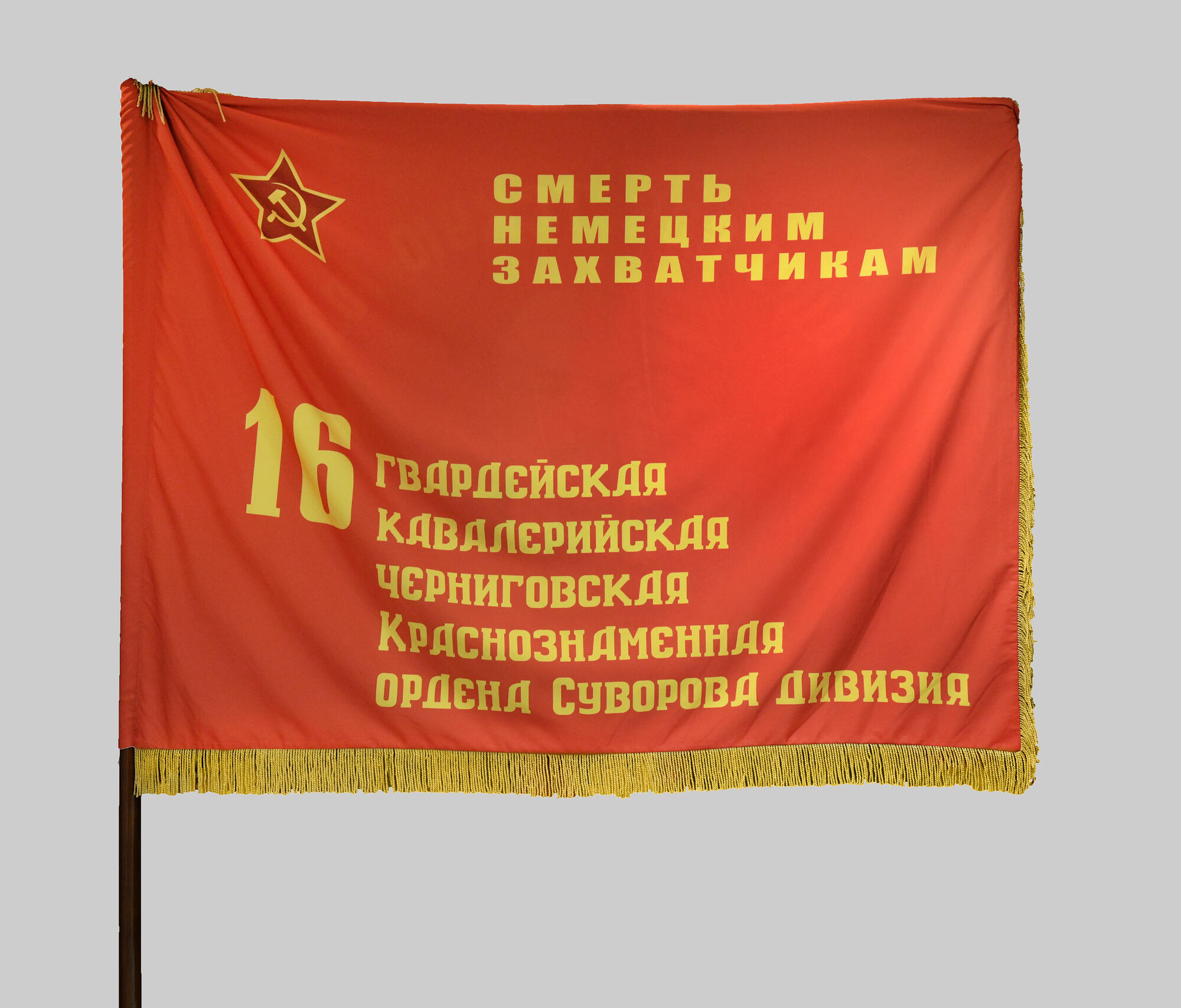
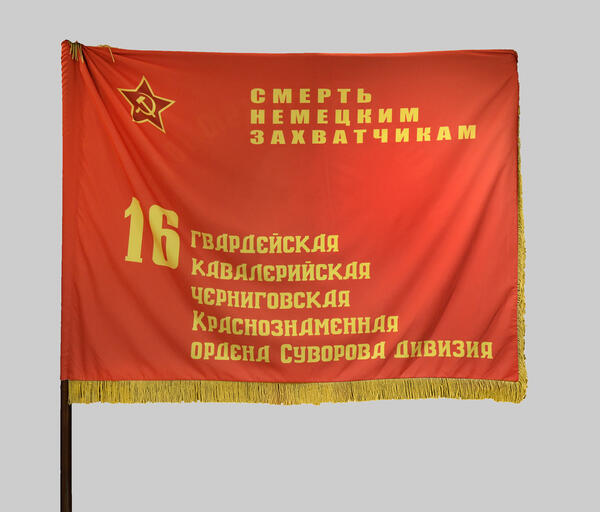
The exhibition of the museum contains a replica of the banner of the 16th Guards Cavalry Division. In the upper left corner on the obverse side, there is a small red star with a sickle and a hammer in the middle. To the right of the star, there is the motto: “Death to the German Invaders!” At the bottom of the banner is the number and full honorary title of the division. The banner is 115 cm high and 151 cm wide. The banner has tassels on twisted cords and is decorated with gold fringes.
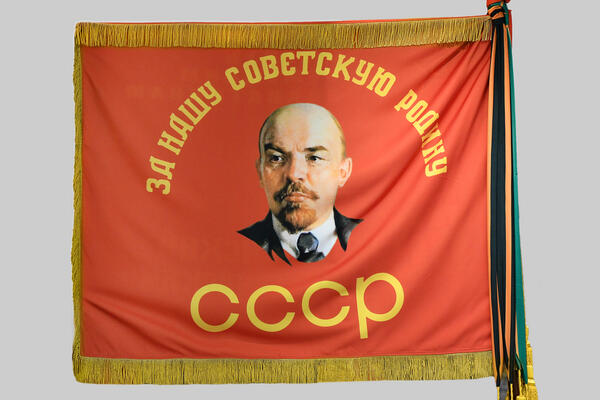
On the back, there was an image of V. I. Lenin. It had the inscriptions “For Our Soviet Homeland” and “USSR” on it.
The 16th Guards Cavalry Division was formed from units of the 112th Bashkir Cavalry Division. The 275th, 294th and 313rd Cavalry Regiments were respectively renamed the 58th, 60th and 62nd Guards Cavalry Regiments.
The honorary title “Guards” was conferred to the 112th Bashkir Cavalry Division by order No. 78 of the People’s Commissar of Defense of the USSR as of February 14, 1943. The title was awarded for bravery shown in the battles for the Fatherland with the German invaders, for staunchness, courage, discipline and organization, for the heroism of the personnel.
The exhibition of the museum contains a replica of the banner of the 16th Guards Cavalry Division. In the upper left corner on the obverse side, there is a small red star with a sickle and a hammer in the middle. To the right of the star, there is the motto: “Death to the German Invaders!” At the bottom of the banner is the number and full honorary title of the division. The banner is 115 cm high and 151 cm wide. The banner has tassels on twisted cords and is decorated with gold fringes.
On the back, there was an image of V. I. Lenin. It had the inscriptions “For Our Soviet Homeland” and “USSR” on it.
The 16th Guards Cavalry Division was formed from units of the 112th Bashkir Cavalry Division. The 275th, 294th and 313rd Cavalry Regiments were respectively renamed the 58th, 60th and 62nd Guards Cavalry Regiments.
The honorary title “Guards” was conferred to the 112th Bashkir Cavalry Division by order No. 78 of the People’s Commissar of Defense of the USSR as of February 14, 1943. The title was awarded for bravery shown in the battles for the Fatherland with the German invaders, for staunchness, courage, discipline and organization, for the heroism of the personnel.