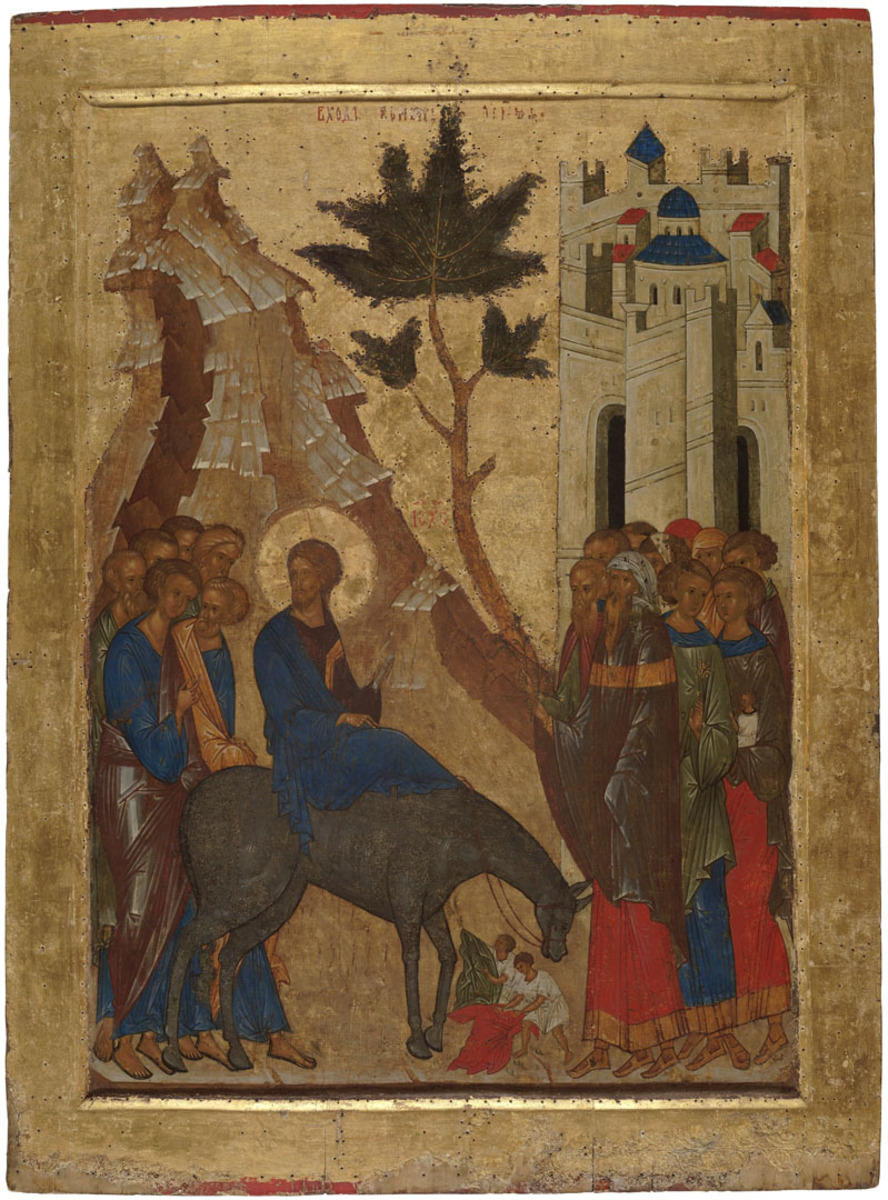



About 1497.
Copy
The icon depicts the scene of the Entrance of Our Lord into Jerusalem. Jesus Christ is sitting on the back of the donkey and is followed by the apostles. Jerusalem is represented on the right. Christ is welcomed by people standing by the walls of the city. Children are laying their clothes on the ground before Christ’s donkey. The icon depicts the scene of the Entrance of Our Lord into Jerusalem. Jesus Christ is sitting on the back of the donkey and is followed by the apostles. Jerusalem is represented on the right. Christ is welcomed by people standing by the walls of the city. Children are laying their clothes on the ground before Christ’s donkey.
The feast of the triumphal Entry of Christ into Jerusalem is celebrated on Sunday before Easter. According to the Gospel, Christ returned to Jerusalem before the Hebrew feast of Passover and was solemnly met and greeted by the residents of the city. They laid down their clothes and palm branches in front of the donkey on which Christ was sitting.
The Entry of Christ into Jerusalem is a Christian feast celebrated on Sunday before Easter, during the sixth week of the Lent. In the Russian church books, it is also called the Flower Week and the Pussy-Willow Sunday because palm trees are traditionally replaced with pussy-willow in the Slavic countries.
This feast symbolizes acceptance of Jesus Christ’s mission on one hand and the prototype of the entry of the son of man into Paradise on another hand.
The icon was restored by O.V. Lelekova in the All-Union Research Institute for Restoration in 1967.


