Font
Color
Graphics
Изображение точки

To see AR mode in action:

1. Install ARTEFACT app for iOS or Android;

2. Find the exhibition «The Murals of the Dormition Cathedral»

3. Push the «Augmented reality» button and point your phone's camera at the exhibit;

Скрыть точки интересаПоказать точки интереса

The Intercession of the Most Holy Mother of God (Theotokos)

Creation period
1641
Technique
Fresco, tempera
1
Open in app
#1
The Intercession of the Most Holy Mother of God (Theotokos)
#2

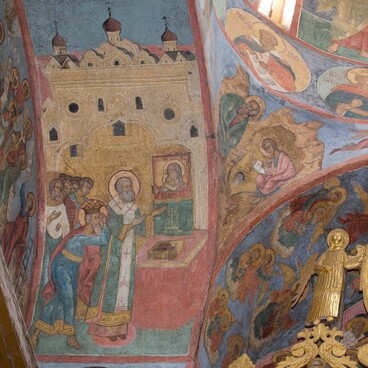
It is believed that the feast of the Intercession (Protection) of the Most Holy Mother of God was established in the middle of the 12th century by Grand prince Andrey Bogolyubsky. The image related to the life of the Byzantine holy fool Andrew (11th century). Together with his disciple Epiphanius he saw the Mother the God during the church service in the Church of the Saint Mary of Blachernae.  She spread Her veil over all the people in the church as a protection. The iconography of the Intercession of the Theotokos was formed in Russia by the 14th century in two versions: Central Russian and Novgorod. The fresco of the Dormition Cathedral belongs to the first of them. Hear the Mother of God is presented in prayer to Jesus Christ, with a veil and a scroll in her hands. To the left of her is the Patriarch of Constantinople Tarasios and the Byzantine Emperor Leo VI. To the right of her is Saint Roman the Melodist on the pulpit, a group of prayers, and Andrew the Fool-for-Christ, who points Epiphanius to a miraculous vision. The clouds above them show the archangels, the apostles and John the Baptist depicted to the waist. In the lower right corner, we can see a sleeping St. Roman the Melodist and the Mother of God putting a scroll of hymns in his mouth.

The full name: The Intercession of the Theotokos
Time of creation: 1641
Technique: Fresco, tempera.
Location: The lunette on the northern wall

read morehide
00:00
00:00
1x

The Intercession of the Most Holy Mother of God (Theotokos)

Creation period
1641
Technique
Fresco, tempera
1
Point your smartphone camera to open in the app
Share
VkontakteOdnoklassnikiTelegram
Share on my website
Copy linkCopied
Copy
Open in app
To see AR mode in action:
  1. Install ARTEFACT app for 
  2. iOS or Android;
  3. Find and download the «Paintings in Details» exhibition
  4. Push the «Augmented reality» button and point your phone's camera at the painting;
  5. Watch what happens on your phone screen whilst you flip through the pictures.
 
We use Cookies
Cookies on the Artefact Website. We use cookies to ensure that we give you the best experience on our website. If you continue without changing your settings, we'll assume that you are happy to receive all cookies on the Artefact website. However, if you would like to, you can change your cookie settings at any time.
Learn more about useHide
Content is available only in Russian

X

Нашли опечатку?...

%title%%type%