The arithmometer (from the Greek number, count, meter) is a desktop mechanical computer of the Felix brand, designed for accurate multiplication, division, as well as addition and subtraction of numbers. The arithmometer consists of a metal case mounted on a flat cast-iron stand. Inside the case, in the upper part, disks with small levers are attached to a metal rod, which, when the handle rotates, are mounted on certain numbers that are printed on 8 metal strips. At the bottom there is a row of small windows with numbers that indicate the answers to the given arithmetic operations. In the upper part of the case, the stamp “Felix” is stamped, just below in capital letters diagonally “Penza counter”. Below is the serial number.
“Felix” is the most common arithmometer in the USSR. Named after Felix Dzerzhinsky. It was produced from 1929 to 1978 with a total circulation of several million cars. In total, more than two dozen modifications of the arithmometer were created.
Schoolchildren in the USSR were taught to use this adding machine. He could perform four basic arithmetic operations: subtraction, multiplication, addition and division. Some experienced specialists (accountants, design engineers), who had to work with it for a long time and a lot, even managed to calculate percentages and the root of the number on it.
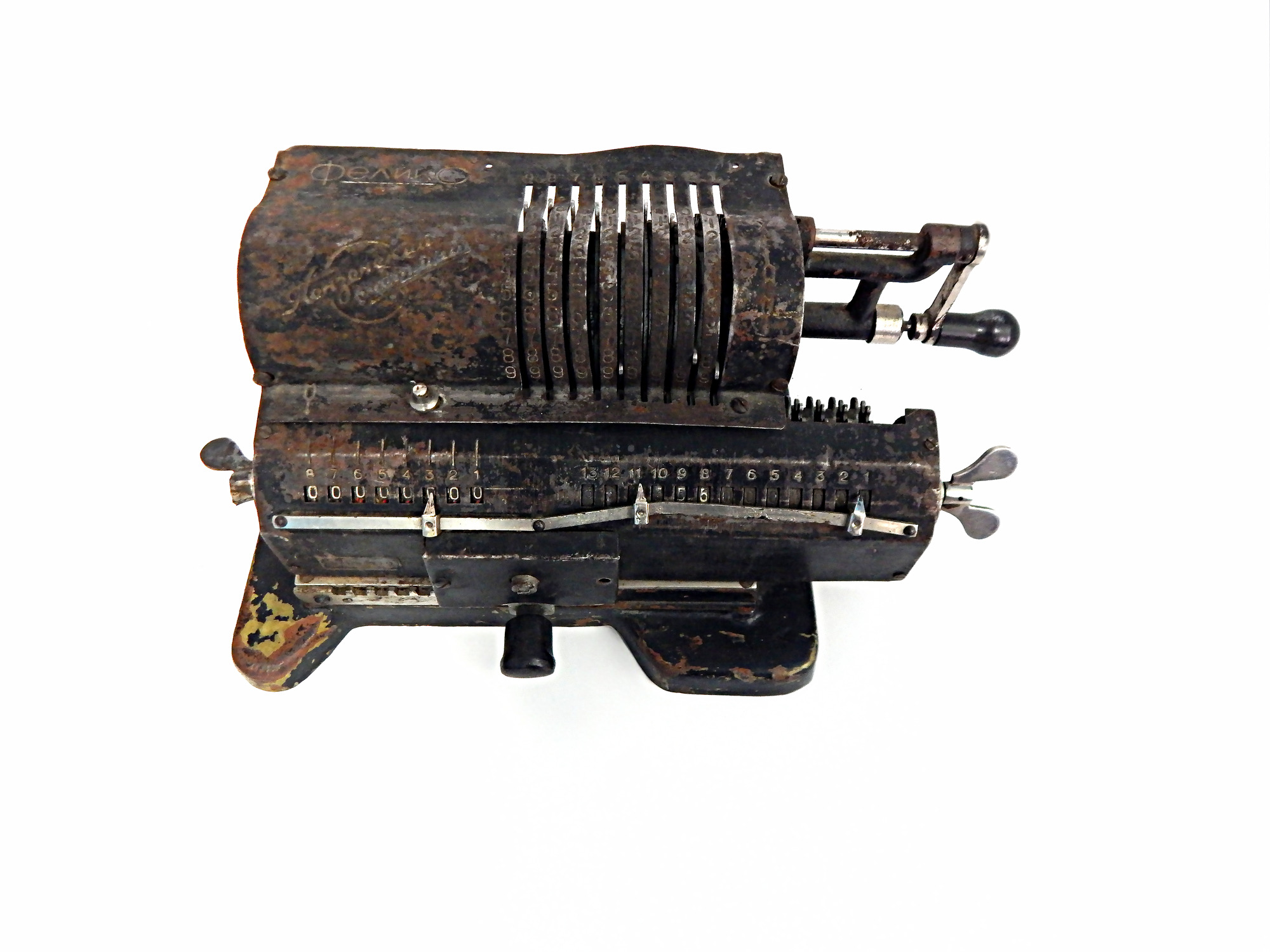


Arithmometer
Creation period
1970-е гг.
Place of сreation
СССР, г. Пенза, Пензенский счетмаш
Dimensions
28x13,5x12 cm
Technique
металл; штамповка, сборка
Collection
Exhibition
0
Open in app#1
read morehide
00:00
00:00
1x
Arithmometer
Creation period
1970-е гг.
Place of сreation
СССР, г. Пенза, Пензенский счетмаш
Dimensions
28x13,5x12 cm
Technique
металл; штамповка, сборка
Collection
Exhibition
0
 Point your smartphone camera to open in the app
Open in app
Share